How to Use Signals in Signal Trade App
Category: App Pages | Last updated: 2026-06-15 | Reading time: 6 min read
What Is the Signals Page?
Signals lets you discover, subscribe to, and automatically execute trades from signal providers. You can also publish your own signals for followers. Signals integrate directly with copy groups so every alert can be replicated across your follower accounts.
How to Subscribe to a Signal
- Open the Signals marketplace.
- Browse providers by performance, strategy, and asset class.
- Click a provider to see detailed stats and recent trade history.
- Click Subscribe and choose which copy group should receive the signals.
- Confirm the subscription. Alerts will now route to your selected group.
Signal Performance Metrics
| Metric | Meaning |
|---|---|
| Win Rate | Percentage of profitable signals over the tracked period. |
| Average Trade | Average P&L per executed signal. |
| Max Drawdown | Largest peak-to-trough loss in the signal history. |
| Frequency | Average number of signals per day or week. |
| Sharpe | Risk-adjusted return of the signal strategy. |
TradingView Webhook Signals
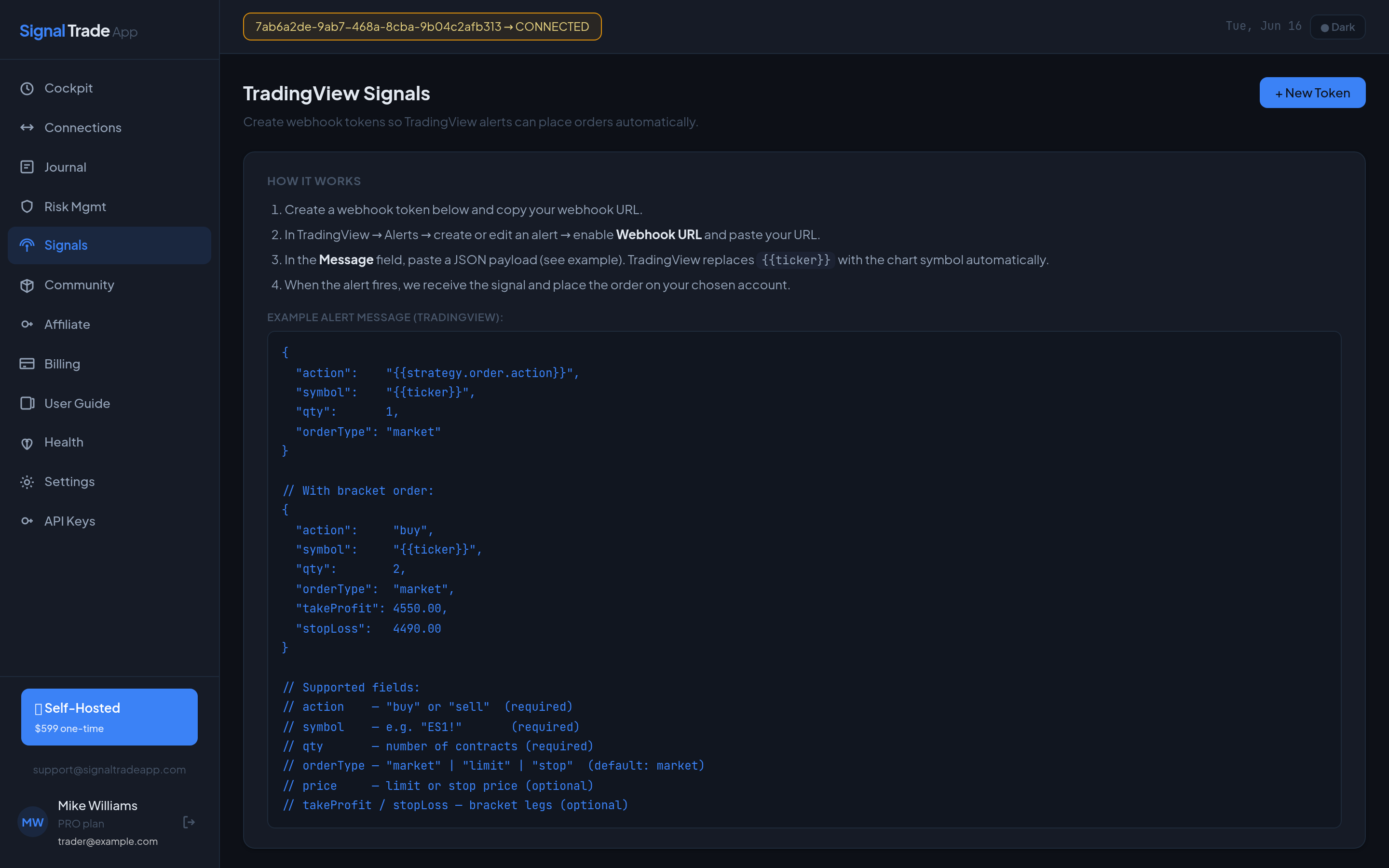
You can send signals directly from TradingView Pine Script using a webhook. Create a TradingView connection, copy the webhook URL, and paste it into your TradingView alert. Format the alert JSON with symbol, action, quantity, and order type.
Signal Safety Tips
- Paper-trade every new signal provider for at least a week.
- Set a small max quantity for signal-driven groups.
- Disable signals before major news events if the strategy is not news-tested.
- Review signal performance in the Journal weekly.
Read next: Community guide.
Start Copy Trading Free
Signal Trade App lets you copy one trade across unlimited futures accounts in under 50ms. Sign up free with a 5-day Pro trial (credit card required, no charge during trial).