Signal Trade App Settings Guide
Category: App Pages | Last updated: 2026-06-15 | Reading time: 5 min read
What Is the Settings Page?
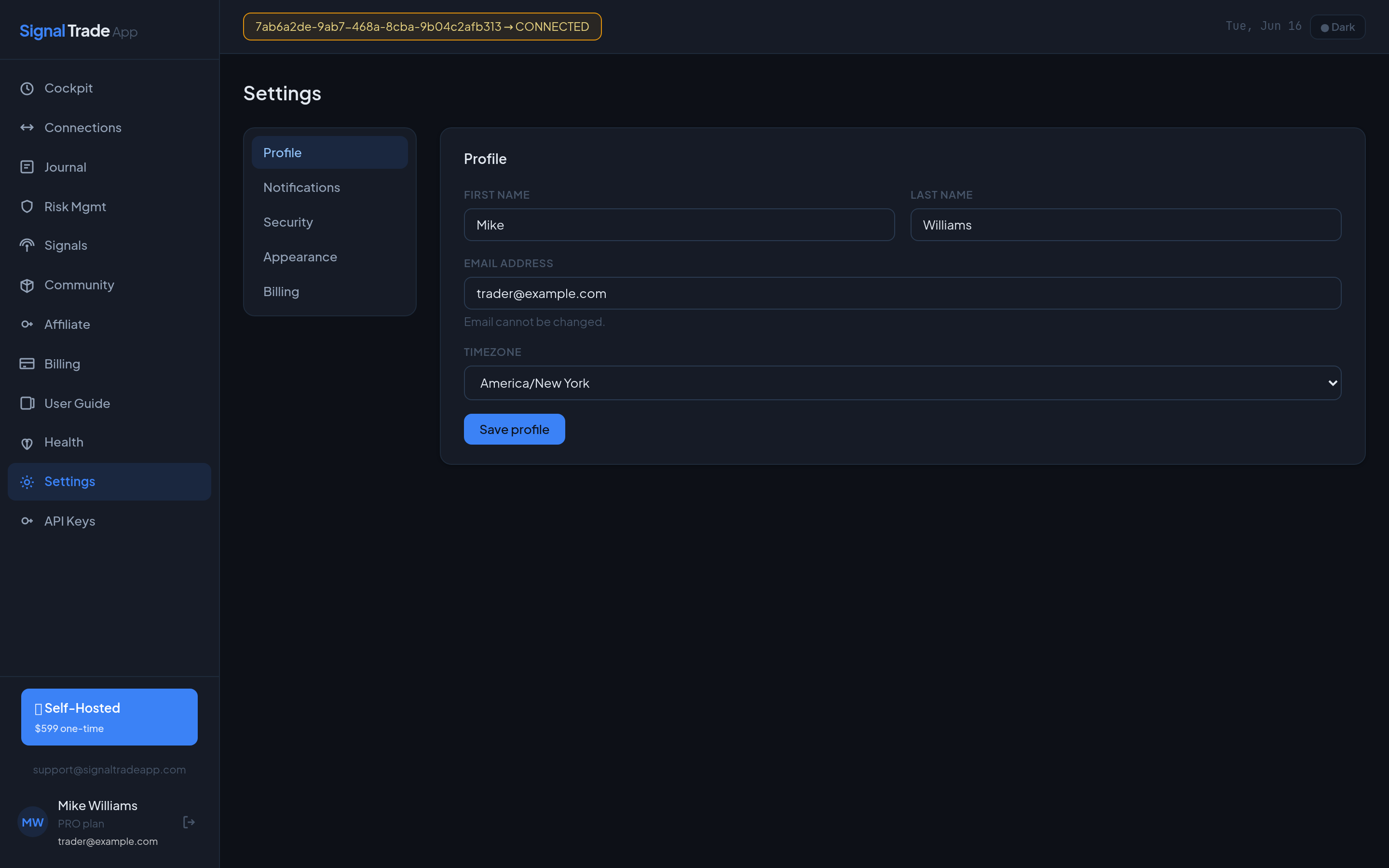
The Settings page is where you control your account identity, how Signal Trade App communicates with you, and security options like password changes and email verification.
Profile Tab
- Name — Update your first and last name. This appears in the sidebar and emails.
- Email — Change your login email. A verification email is sent to the new address.
- Timezone — Set your local timezone so session times and journal dates display correctly.
- Plan badge — See your current plan and a link to Billing.
Notification Settings
| Event | What You Get |
|---|---|
| DLL Triggered | Email when a group hits its daily loss limit. |
| DPT Hit | Email when a group reaches its daily profit target. |
| Copy Failed | Email when an order fails to copy to a follower. |
| Connection Loss | Email when a broker connection drops unexpectedly. |
| Execution Alert | Email for every executed trade (optional). |
How to Change Your Password
- Open Settings and go to the Security tab.
- Enter your current password.
- Enter and confirm your new password (minimum 8 characters).
- Click Update Password.
Email Verification
A verified email is required for some features and improves deliverability of alerts. If you change your email, click the verification link in the new inbox. You can resend the verification email from Settings.
Account Deletion
To delete your account, contact support@signaltradeapp.com. Deletion removes your user record, connections, groups, and journal data. Subscription data may be retained for legal/tax purposes.
Settings Best Practices
- Enable DLL and connection-loss emails for funded accounts.
- Keep your timezone accurate so daily stats reset at the right time.
- Use a strong, unique password and never reuse a broker password.
- Verify your email to avoid missing critical alerts.
Read next: API Keys guide.
Start Copy Trading Free
Signal Trade App lets you copy one trade across unlimited futures accounts in under 50ms. Sign up free with a 5-day Pro trial (credit card required, no charge during trial).