Signal Trade App API Keys Guide
Category: App Pages | Last updated: 2026-06-15 | Reading time: 5 min read
What Is the API Keys Page?
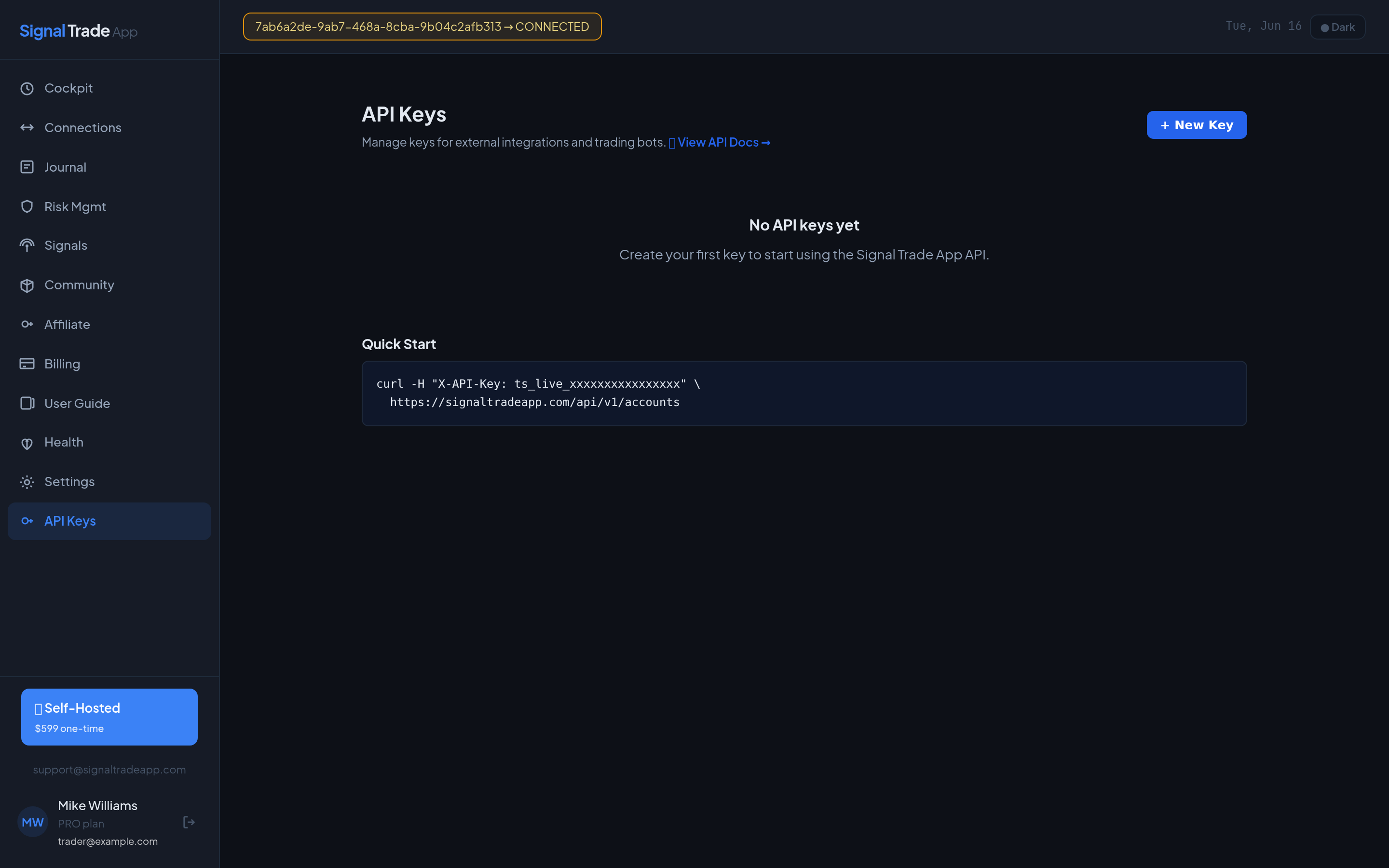
The API Keys page lets you create and revoke API keys for programmatic access. Use keys to send orders from TradingView webhooks, build custom dashboards, or connect external risk systems.
How to Create an API Key
- Go to API Keys.
- Click Create New Key.
- Give the key a name, for example: "TradingView MNQ Strategy".
- Select the scopes you need: read-only or trade (place orders, flatten, webhooks).
- Click Generate and copy the key immediately. It is shown only once.
API Key Scopes
| Scope | What It Allows |
|---|---|
| read | Read accounts, positions, trade history, strategies, and user info. |
| trade | Place orders, attach TP/SL protection, flatten accounts, create webhooks, and create strategies. |
Using Your Key
Include the key in the X-API-Key header of every request:
X-API-Key: YOUR_API_KEY
API documentation is available at /api-docs.
Idempotent Orders
When placing orders via the API, include a unique Idempotency-Key header to avoid duplicate trades if a request retries:
POST /api/v1/accounts/ID/orders X-API-Key: YOUR_API_KEY Idempotency-Key: order-attempt-001 Content-Type: application/json
The same key returns the cached response for 24 hours without placing a second order.
Real-Time Connection Health
Use the SSE stream to monitor your broker connection status in real time. The stream emits connect, disconnect, reconnect, auth-expired, and fatal-error events for every connection owned by your API key.
GET /api/v1/connection-health/stream X-API-Key: YOUR_API_KEY Accept: text/event-stream
Example event stream:
data: {"type":"snapshot","connectionId":"conn_abc","status":"CONNECTED","ts":1719861123456} data: {"type":"status","connectionId":"conn_abc","status":"RECONNECTING","ts":1719861200000} data: {"type":"status","connectionId":"conn_abc","status":"CONNECTED","ts":1719861230000} data: {"type":"heartbeat","ts":1719861240000}
This is useful for dashboards or alerting systems that need to know immediately when a broker connection drops, without polling the API.
Developing with a Demo Account
The safest way to test trade-scoped integrations is with a Tradovate demo account. Demo connections use the same order path as live accounts, so your code is production-ready before any real money is at risk.
- Go to Settings → Connections and add a Tradovate demo connection.
- Create an API key with the trade scope.
- Place small test orders through the demo account using the examples in API Docs.
- Once verified, switch to a live account connection for production trading.
For read-only dashboards, a read-scope key is enough and carries no trading risk.
Security Best Practices
- Never commit API keys to public repositories.
- Use a separate key for each integration.
- Revoke keys immediately if you suspect they are exposed.
- Use read-only scopes for dashboards that do not need to trade.
Read next: Signals guide.
Start Copy Trading Free
Signal Trade App lets you copy one trade across unlimited futures accounts in under 50ms. Sign up free with a 5-day Pro trial (credit card required, no charge during trial).