Using the Signal Trade App Trading Journal
Category: App Pages | Last updated: 2026-06-15 | Reading time: 6 min read
What Is the Journal?
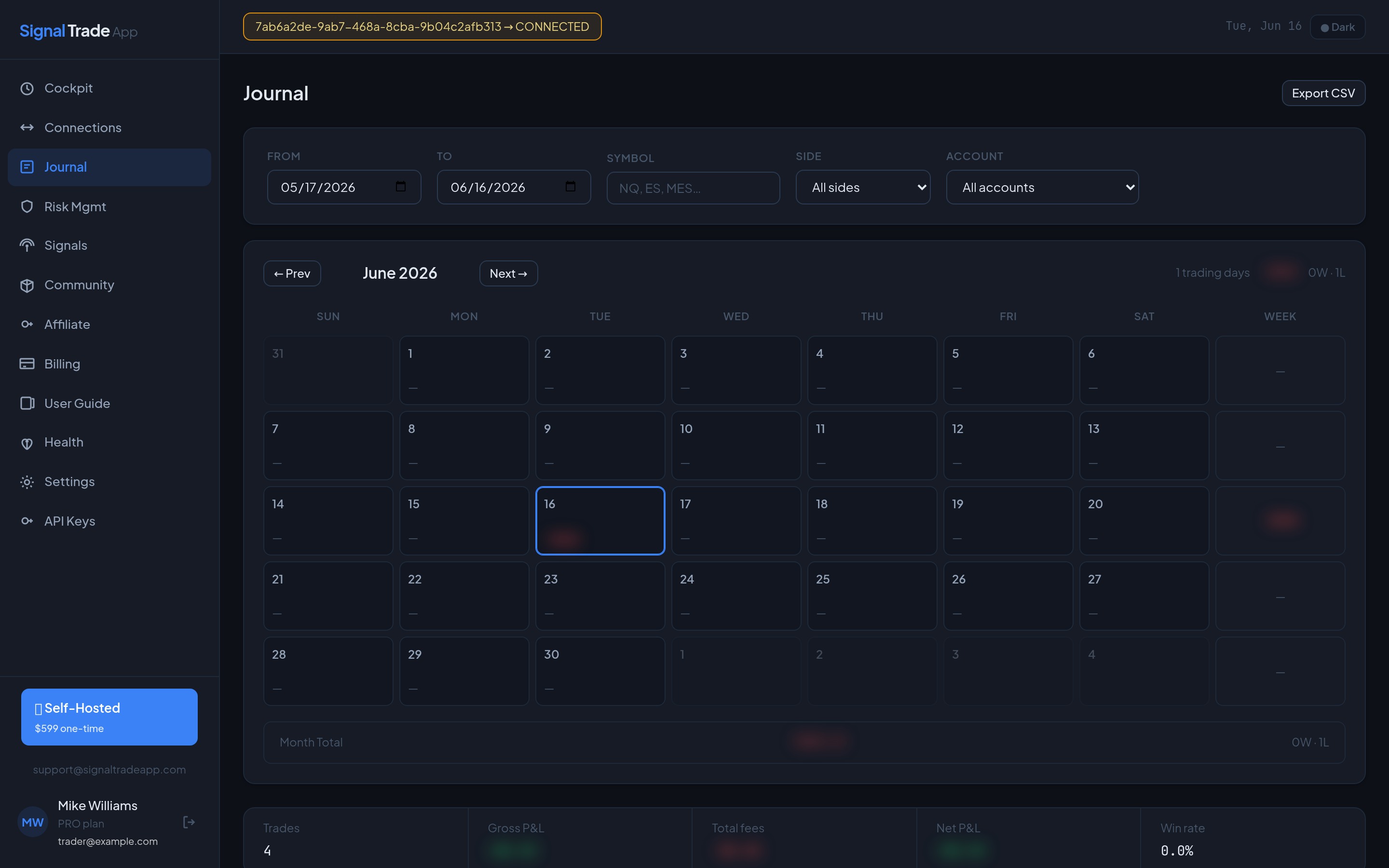
The Journal automatically imports every closed trade from your connected accounts. It calculates P&L, fees, win rate, profit factor, Sharpe ratio, expectancy, and max drawdown across all accounts or per account. It is the fastest way to review your trading day.
Journal Layout
- Summary cards — Total P&L, win rate, profit factor, and number of trades.
- Trade table — Every closed trade with symbol, entry, exit, quantity, and fees.
- Filters — Filter by date, account, symbol, group, or result (win/loss).
- Charts — Cumulative P&L curve and daily bar chart.
How to Review Today's Trades
- Open the Journal.
- Set the date range to today or the current trading session.
- Sort by P&L to find your biggest winners and losers.
- Click any trade to see fills, fees, and which copy group created it.
Performance Metrics Explained
| Metric | Why It Matters |
|---|---|
| Win Rate | Percentage of profitable trades. High win rate with poor R/R may still lose money. |
| Profit Factor | Gross profit divided by gross loss. Above 1.5 is generally healthy. |
| Sharpe Ratio | Risk-adjusted return. Higher is better. |
| Expectancy | Average expected profit per trade. Positive means an edge over time. |
| Max Drawdown | Largest peak-to-trough loss. Keep this well below prop firm limits. |
Exporting Your Data
- Apply the filters you want to export.
- Click Export CSV or Export PDF.
- Use the CSV for tax software or custom analysis in Excel / Google Sheets.
- Use the PDF for prop firm payout documentation or trading reviews.
Journal Tips
- Tag trades with notes while they are fresh in your memory.
- Compare leader vs follower slippage to identify connection latency issues.
- Review losing streaks to see if they cluster around specific accounts or symbols.
- Export monthly reports to track progress toward prop firm payout thresholds.
Read next: Risk Management guide.
Start Copy Trading Free
Signal Trade App lets you copy one trade across unlimited futures accounts in under 50ms. Sign up free with a 5-day Pro trial (credit card required, no charge during trial).