How to Share Your Trading P&L (and Earn 30% From Every Signup)
Category: Tutorial | Date: 2026-11-04
Why Traders Share Their P&L
Discord servers, X and trading groups run on results. A screenshot of a broker window is messy: it shows account numbers, cut-off columns and nothing about consistency. A P&L card shows the numbers people actually ask about (total P&L, win rate, trade count, profit factor, best trade) in one clean image.
Signal Trade App now builds that card for you from your closed trades, and its share link pays you when someone signs up through it.
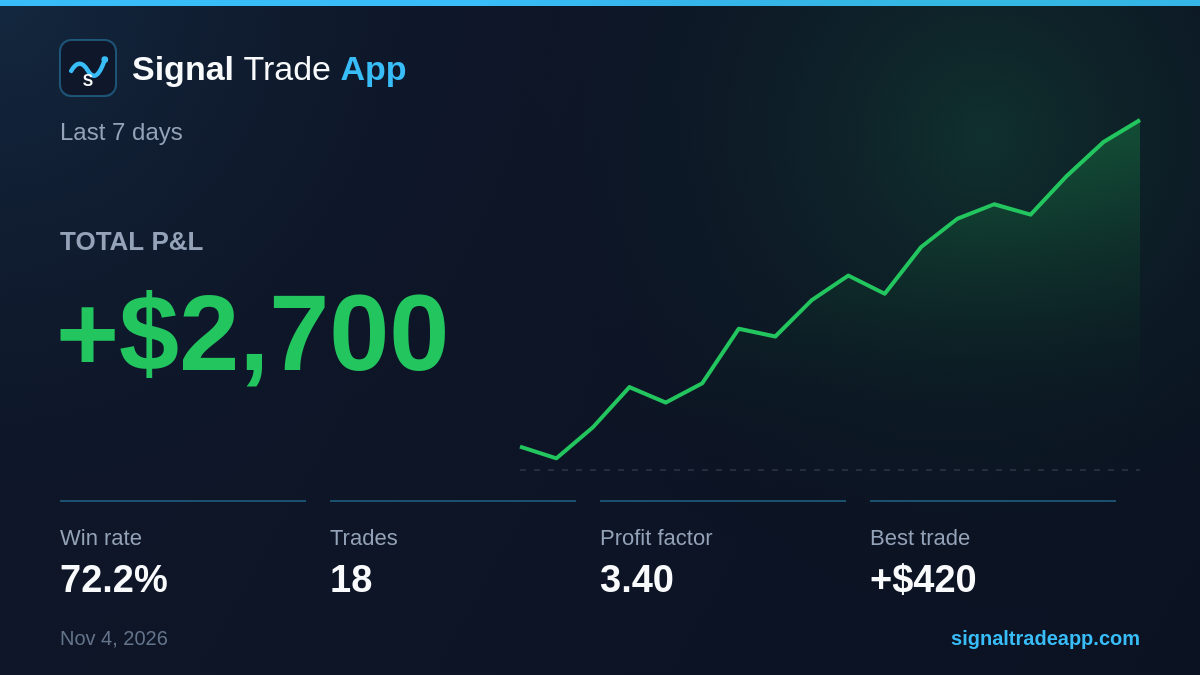
What Is on the Card
| Item | What it shows |
|---|---|
| Total P&L | Net result of closed trades in the period |
| Equity curve | Your cumulative P&L, trade by trade |
| Win rate | Winning trades as a share of all closed trades |
| Trades | Number of closed trades |
| Profit factor | Gross profit divided by gross loss |
| Best trade | Your largest single winning trade |
The card never prints an account name or number. Tick <strong>Hide $ amounts</strong> to share win rate and stats without dollar figures, which helps if your firm or community prefers that.
How to Make One
- Open the <a href="/cockpit">Cockpit</a> and click <strong>Share P&L</strong> in the top action bar, or go to <a href="/journal">Journal</a> → <strong>Analytics</strong> → <strong>Share P&L</strong>.
- Pick a period: Today, 7D, 30D or All.
- Pick all accounts or one account.
- Choose <strong>Download</strong>, <strong>Copy image</strong>, <strong>Share</strong> or <strong>Copy share link</strong>.
The Share Link Has Your Affiliate Code Built In
This is the part most P&L screenshots miss. <strong>Copy share link</strong> gives you a link that:
- Shows your card as the preview image in Discord, X, Telegram and most chat apps.
- Sends anyone who clicks it to Signal Trade App with your affiliate code applied, so they get the affiliate signup price.
- Credits you with <strong>30% of every Pro payment</strong> they make while they stay subscribed: $11.70 on the $39 first month, then $8.70 a month, or $59.70 a year on the $199 annual plan.
- Keeps working if you change your code later, because it looks up your current code each time it is clicked.
Every account already has an affiliate code, so there is nothing to apply for. Earnings show on the Affiliate page and are paid monthly in crypto.
Tips for Sharing Results
- Share longer periods (30D or All) as well as good days. Consistency is more convincing than one big win.
- Use one account for a clean story, or all accounts to show what copying across several prop accounts does.
- Say how you trade: which instruments, and whether the results are copied across accounts.
- Be honest. Past results do not guarantee future results, and readers can tell when a card is cherry-picked.
Step-by-step with every option: Share P&L guide. Commission details: Affiliate Program guide.
Related Reading
Frequently Asked Questions
Where is the Share P&L button?
In the Cockpit action bar at the top (next to New Group), and in Journal → Analytics at the top right.
Does the P&L card show my account number?
No. It never prints account names or numbers, and you can hide dollar amounts too.
How does the share link earn me money?
It carries your affiliate code. When someone clicks it and subscribes to Pro, you earn 30% of every payment they make while subscribed.
Why does it say there are no closed trades?
The card uses closed trades only. If the period has none yet, pick 7D, 30D or All.
Start Copy Trading Free
Signal Trade App lets you copy one trade across unlimited prop firm accounts in under 50ms. Sign up free with a 5-day Pro trial (credit card required, no charge during trial).
Related Reading
- Help Center — Setup guides, broker connections, and risk management
- Supported Platforms — Tradovate, NinjaTrader, TradingView, and more
- Blog — More guides on copy trading, prop firms, and futures automation