
NinjaTrader Copy Trading: How to Copy Trades Across Multiple Accounts
Category: Platforms | Date: 2026-05-05
Can You Copy Trades in NinjaTrader?
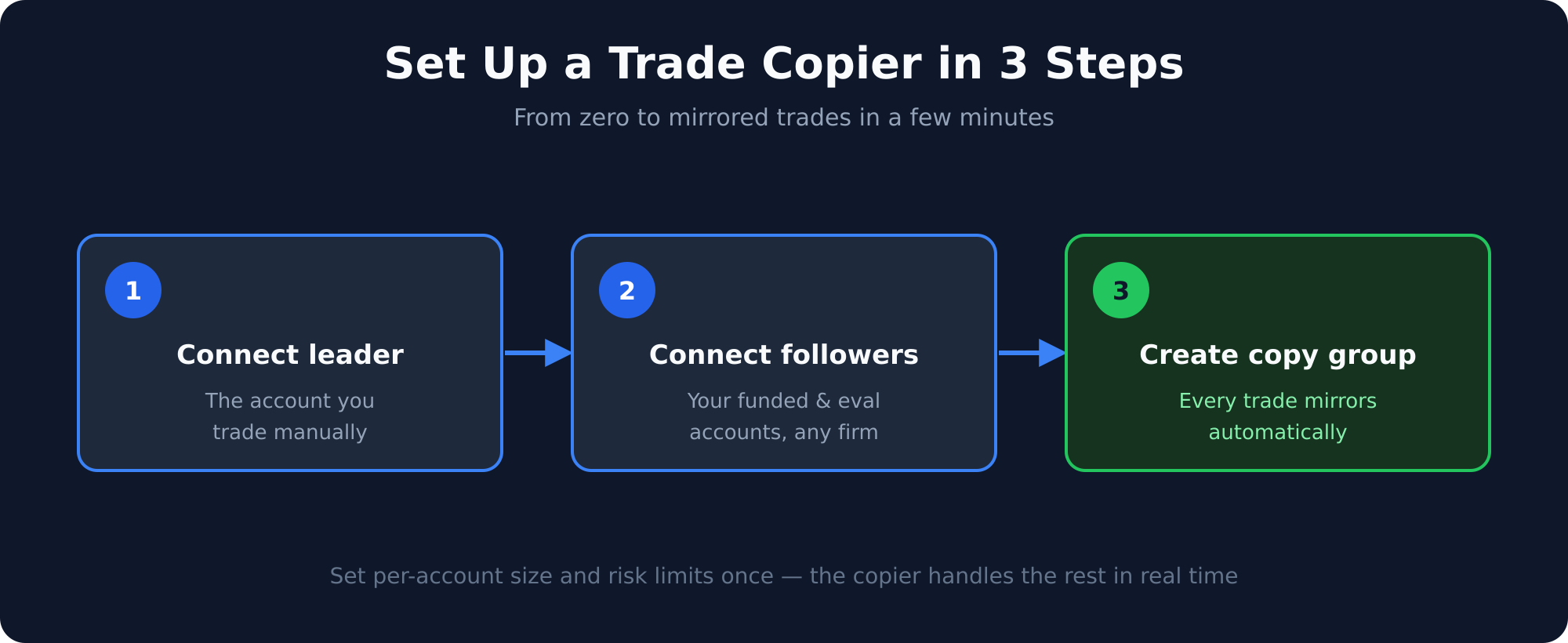
NinjaTrader does not have a native multi-account copy trading feature built into the platform. To copy trades across multiple NinjaTrader accounts simultaneously, you need a third-party service that connects to the NinjaTrader API or the underlying data feed (Rithmic, CQG).
Signal Trade App provides NinjaTrader copy trading through a cloud-connected architecture: your NinjaTrader accounts are registered in the dashboard, and every fill on the leader account triggers instant replication to all follower accounts. No NinjaScript, no addons, no manual scripting required.
Use Cases for NinjaTrader Copy Trading
- Scaling across multiple prop firm evaluations (Apex, Take Profit Trader, Tradeify) that all use NinjaTrader
- Copying trades from a NinjaTrader leader account to Tradovate follower accounts (cross-platform)
- Running the same strategy across a personal account and multiple funded accounts simultaneously
- Automating TradingView webhook signals to NinjaTrader execution
How NinjaTrader Copy Trading Works With Signal Trade App
Step 1: Connect Your NinjaTrader Accounts
In Signal Trade App, navigate to Connections and add your NinjaTrader credentials for each account. Signal Trade App connects directly to your broker via the same API used by NinjaTrader, so your accounts appear in the dashboard without any local software requirement.
Step 2: Create a Copy Group
In the Cockpit, create a new copy group and designate one account as the leader and the remaining accounts as followers. You can mix NinjaTrader accounts with Tradovate accounts in the same group for cross-platform copying.
Step 3: Set Copy Ratios and Risk Rules
For each follower account, configure the copy ratio (e.g., 1.0x for same size, 0.5x for half size), daily loss limit, and maximum quantity. These settings apply independently per follower so a $50K account and a $100K account can each have the correct risk exposure.
Step 4: Go Live
With your copy group active, every trade you place on the leader account — market orders, limit orders, bracket orders with stops and targets — is replicated to all followers within 50ms. You only need to trade the leader; everything else is automatic.
Copy Ratios for Prop Firm Accounts
When copying between accounts of different sizes, use this formula: follower account size divided by leader account size = copy ratio. If your leader is a $50K account and your follower is a $100K account, use a 2.0x ratio to keep risk proportional. Never copy a ratio larger than your follower account can support without exceeding its daily loss limit on a normal trading day.
Bracket Orders and NinjaTrader
One of the most important features of any NinjaTrader copy setup is bracket order preservation. When you place a bracket order on the leader — entry, stop-loss, and take-profit — Signal Trade App copies the full bracket to every follower, including the correct stop and target distances. There is no need to manually set stops and targets on each account.
Running Without Your PC
NinjaTrader is a desktop application — when you close it or your PC goes offline, NinjaTrader stops processing orders. However, Signal Trade App's cloud infrastructure continues copying trades as long as the broker API connection is active. If you use a VPS running NinjaTrader, your copy groups stay active around the clock.
Start Your NinjaTrader Copy Group
Signal Trade App is free to start. Connect your first NinjaTrader accounts, create a copy group, and verify execution on a sim follower before going live. If you trade multiple Apex, Take Profit Trader, or Tradeify accounts, this setup can eliminate hours of manual order entry every trading week.
Ready to Automate Your NinjaTrader Trading?
Signal Trade App's cloud copy trading for NinjaTrader is the easiest way to scale across prop firms without desktop software or VPS complexity. Start the 5-day trial, test with demo accounts, then go live when ready.
Related Reading
Signal Trade App vs Copilink · Duplicate Account Actions alternatives
Frequently Asked Questions
What is NinjaTrader Copy Trading?
Step-by-step guide to copy trading with NinjaTrader. Learn how to connect multiple NinjaTrader accounts, set copy ratios, and automate your prop firm trading.
How does NinjaTrader Copy Trading work?
It depends on the specific setup, but the article explains the mechanics, rules, and best practices. Step-by-step guide to copy trading with NinjaTrader. Learn how to connect multiple NinjaTrader accounts, set copy ratios, and automate your prop firm trading.
Why is NinjaTrader Copy Trading important?
Understanding this topic helps you trade more efficiently, manage risk, and scale across multiple accounts.
Can You Copy Trades in NinjaTrader?
NinjaTrader does not have a native multi-account copy trading feature built into the platform. To copy trades across multiple NinjaTrader accounts simultaneously, you need a third-party service that connects to the NinjaTrader API or the un.
How do I connect your ninjatrader accounts?
In Signal Trade App, navigate to Connections and add your NinjaTrader credentials for each account. Signal Trade App connects directly to your broker via the same API used by NinjaTrader, so your accounts appear in the dashboard without any.
How do I create a copy group?
In the Cockpit, create a new copy group and designate one account as the leader and the remaining accounts as followers. You can mix NinjaTrader accounts with Tradovate accounts in the same group for cross-platform copying.
Start Copy Trading Free
Signal Trade App lets you copy one trade across unlimited prop firm accounts in under 50ms. Sign up free with a 5-day Pro trial (credit card required, no charge during trial).
Related Reading
- Help Center — Setup guides, broker connections, and risk management
- Supported Platforms — Tradovate, NinjaTrader, TradingView, and more
- Blog — More guides on copy trading, prop firms, and futures automation