
How to Copy Trade Lucid Trading Accounts: Complete Setup Guide
Category: Tutorial | Date: 2026-06-21
Lucid Trading and Copy Trading
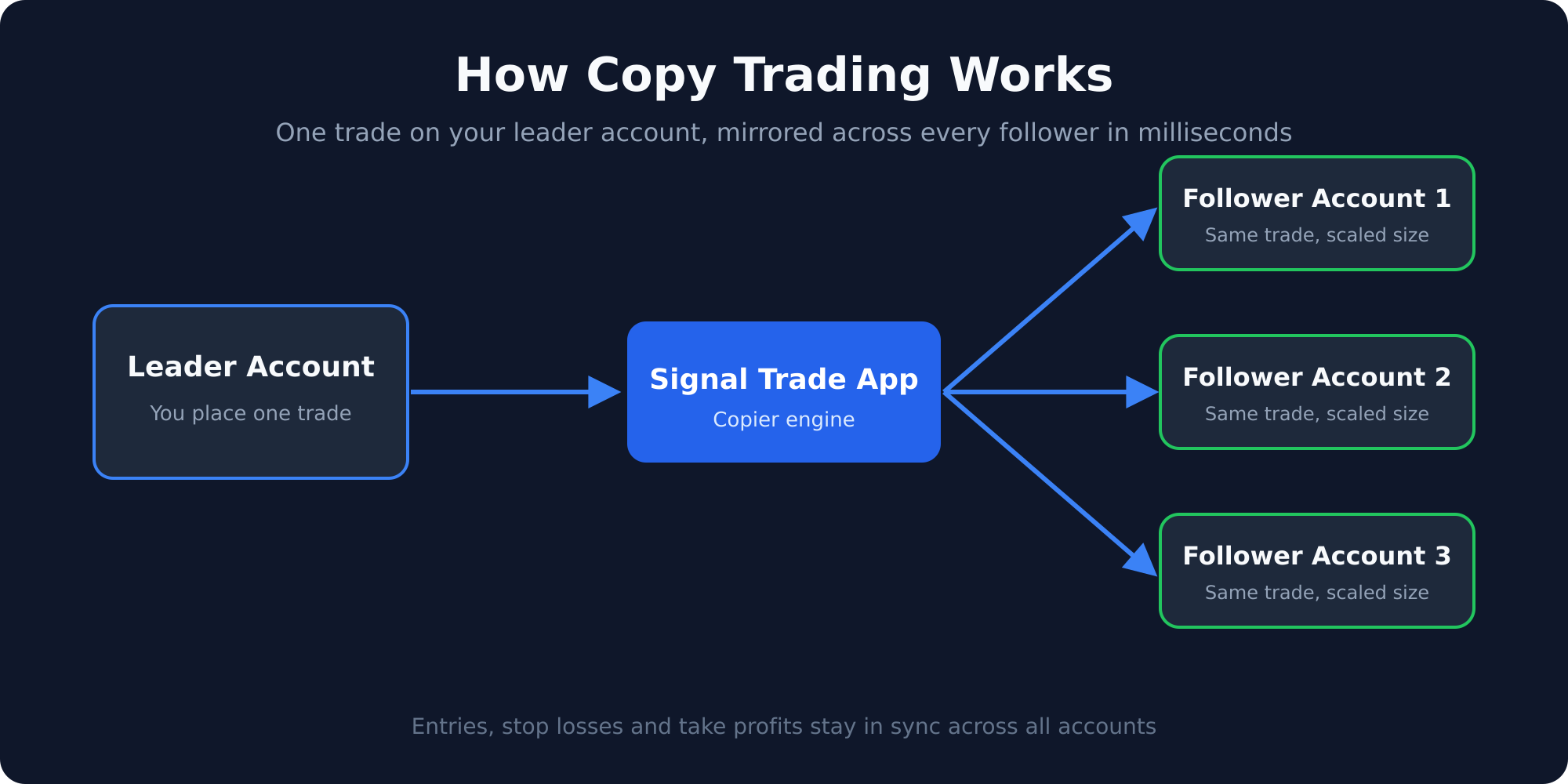
Lucid Trading accounts run on one of two data feeds. Lucid’s help center lists NinjaTrader, Tradovate and TradingView on CQG, and a group of Rithmic platforms including Sierra Chart, Quantower and ATAS. Accounts on the Tradovate side connect to a copier with Tradovate credentials; Rithmic-side accounts connect with their Rithmic login. Signal Trade App supports both.
This guide walks through connecting Lucid accounts to Signal Trade App, setting up copy groups, managing drawdown, and running Lucid accounts alongside accounts from other prop firms.
Why Lucid Trading Is Ideal for Copy Trading
Lucid Trading has several features that make it particularly friendly for multi-account copy traders:
- Plan choice on consistency: LucidPro has no consistency rule in the evaluation (40% applies to funded payouts), and LucidFlex has none once funded (50% applies in the evaluation).
- No minimum trading days: You can pass a Lucid evaluation in as few days as it takes to hit the profit target. Some traders pass in one or two sessions.
- Two supported feeds: Lucid accounts connect through Tradovate or Rithmic, both of which Signal Trade App supports.
- Competitive pricing: Lucid evaluations are priced aggressively, making it cost-effective to run multiple simultaneous evaluations.
Picking the plan whose consistency rule suits your style, with no minimum trading days, means copy traders can run several Lucid evaluations at once by copying one leader to several Lucid followers.
Step-by-Step: Connecting Lucid Trading to Signal Trade App
- Create a Signal Trade App account and start the 5-day free trial.
- Go to Connections and click Add Connection. Select Tradovate if your Lucid accounts are on the CQG/Tradovate side, or Rithmic if they are on Rithmic.
- Log in with the credentials Lucid issued for that platform. Your Lucid Trading accounts under that login appear as separate accounts.
- Repeat for each Lucid login you want to include. Each evaluation and funded account shows up separately.
- Create a copy group. Select one account as the leader (this is the account you trade) and add your other Lucid accounts as followers.
- Set copy ratios and risk limits per follower, then place a test trade to verify everything copies correctly.
Managing Drawdown on Lucid Accounts
Lucid Trading enforces a maximum drawdown rule that determines how much your account balance can decline from its peak. Before setting up copy trading, confirm whether Lucid is currently using a static drawdown (fixed from starting balance) or a trailing drawdown (follows your peak equity). This distinction changes your risk management strategy entirely.
For trailing drawdown accounts, your risk increases as the account profits. After a strong day, the drawdown floor rises, leaving less room for losses. In Signal Trade App, handle this by:
- Setting the daily loss limit per Lucid follower to 80% of the firm's official limit.
- Enabling profit targets to auto-lock followers after a set daily gain. This prevents giving back profits that would tighten the trailing drawdown.
- Monitoring peak equity levels after each session and reducing copy ratios if the remaining drawdown cushion gets tight.
- Using max quantity limits so no single trade can blow through the remaining drawdown in one fill.
Copying Across Lucid Trading and Other Firms Simultaneously
The real power of copy trading is running Lucid accounts alongside accounts from other prop firms in the same copy group. Signal Trade App supports cross-platform copying, so your copy group can include:
- Lucid Trading accounts (via Tradovate or Rithmic)
- Apex Trader Funding accounts (via NinjaTrader/Rithmic)
- Take Profit Trader accounts (via Tradovate)
- MyFundedFutures accounts (via Tradovate or Rithmic)
- TradingView webhook signals as a leader source
Each follower has independent risk limits, so Lucid's rules do not interfere with Take Profit Trader's or Apex's rules. One trade on your leader fires orders across every follower, and each account is protected by its own daily loss limit, drawdown guard, and max quantity cap.
How Many Lucid Accounts Should You Run?
Because Lucid has no minimum trading days, and LucidPro has no consistency rule in the evaluation, it is one of the easier firms to scale quickly. A common approach is to start three to five Lucid evaluations at the same time, copy one leader to all of them, and pass whichever ones hit the profit target first. The ones that blow can be reset at a low cost.
Once funded, most traders run between 3 and 10 Lucid funded accounts alongside accounts at other firms. Signal Trade App charges the same price regardless of how many accounts you copy to — scaling from 3 to 30 followers costs nothing extra.
Start Copy Trading Your Lucid Accounts
Lucid Trading's Tradovate and Rithmic support means you can connect and start copying in under five minutes. Signal Trade App handles the connections, risk limits, and cross-platform copying so you can focus on trading one account well. Start your 5-day free trial — $30 for the first month, then $15/month for unlimited Lucid accounts and cross-firm copying.
Related Reading
Supported prop firms · Topstep vs Lucid Trading
Frequently Asked Questions
Is Lucid just Tradovate rebranded?
No. Lucid Trading is a prop firm with its own plans and rules. Tradovate is one of twelve platforms it supports: its help center lists NinjaTrader, Tradovate and TradingView on CQG, plus Rithmic platforms such as Sierra Chart, Quantower and ATAS.
What consistency rules does Lucid have?
It depends on the plan. LucidPro has no consistency rule in the evaluation and a 40% rule on funded payouts; LucidFlex has a 50% rule in the evaluation and none once funded. If you copy across Lucid and another firm, set independent risk limits per firm.
Can I copy across Lucid and other prop firms?
Yes. Signal Trade App connects Tradovate and Rithmic accounts, so a single copy group can include followers from Lucid and other firms even when they run on different platforms, each with its own daily loss limit and drawdown guard.
What about Lucid's EOD rules?
Lucid enforces end-of-day drawdown checks. Any open positions are marked-to-market at close. Use Signal Trade App's EOD close feature to automatically flatten positions before 4 PM ET if needed.
Start Copy Trading Free
Signal Trade App lets you copy one trade across unlimited prop firm accounts in under 50ms. Sign up free with a 5-day Pro trial (credit card required, no charge during trial).
Related Reading
- Help Center — Setup guides, broker connections, and risk management
- Supported Platforms — Tradovate, NinjaTrader, TradingView, and more
- Blog — More guides on copy trading, prop firms, and futures automation