
How to Set Up a Trade Copier for Tradovate in 2026
Category: Tutorial | Date: 2026-06-21
Tradovate is the Default Platform for Prop Firms
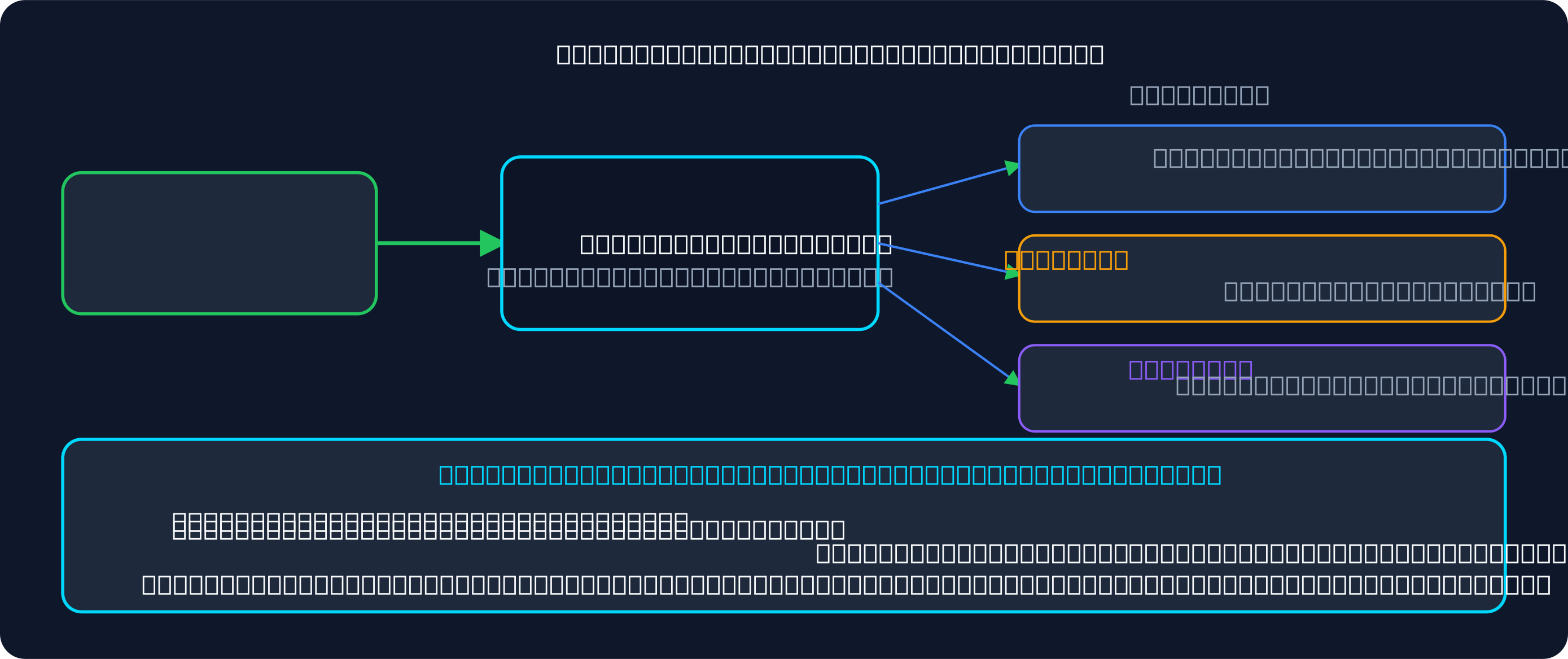
Tradovate is one of the most common platforms at futures prop firms — Lucid Trading and Take Profit Trader, for example, both offer it on CQG. (Topstep now issues new accounts on its own TopstepX platform, and Signal Trade App does not connect to Topstep accounts.) If you have funded accounts at two or more Tradovate-based firms, you need a way to copy trades across all of them without manually entering each order on separate platforms.
This guide walks you through setting up a trade copier for Tradovate accounts, managing risk per account, and scaling across multiple firms — all from a single leader account.
Tradovate API Basics and Connection
Tradovate is a cloud-based platform with a robust REST and WebSocket API. Any third-party copier that supports Tradovate connects via OAuth or API key authentication. You do not need to share your password — you grant the copier permission to read positions and place orders on your behalf.
Because Tradovate is cloud-native, it is ideal for trade copier architecture. The connection is fast, reliable, and works from anywhere without a local PC or VPS.
Step-by-Step Setup in Signal Trade App
- Create a Signal Trade App account and start your 5-day free trial.
- Go to Connections and click Add Broker. Select Tradovate.
- You will see a button to "Connect with Tradovate" which opens the OAuth flow. Log in with your Tradovate credentials.
- Approve the permission prompt. Signal Trade App will now access your Tradovate accounts.
- You will see all your Tradovate accounts listed — evaluations, funded accounts, and demo accounts all appear.
- Go to Copy Groups and click Create New Copy Group.
- Name it something clear like "Tradovate Multi-Firm Scaling" or just "My Copy Group."
- Select one account as the Leader — this is the account you will trade manually.
- Add your other Tradovate accounts as Followers. You can add as many as you want.
- Configure the copy settings: wait 500ms for order completion, and enable bracket order copying.
- Test with a small trade on your leader account to verify all followers receive it.
Adding Multiple Tradovate Accounts
One of Tradovate's strengths is that you can have multiple accounts under the same login. If you have three funded accounts at Lucid Trading and two at Take Profit Trader, each login's accounts appear in Signal Trade App as soon as you connect it.
Simply add each one as a separate follower in your copy group. Signal Trade App tracks each account independently, so per-account risk limits apply. A daily loss limit breach on your Lucid account does not lock your Take Profit Trader accounts.
Position Sizing Across Accounts
Not all your Tradovate accounts are the same size. You might have a $50K Lucid account and a $100K Take Profit Trader account. Use copy ratios to size each follower appropriately:
- If your leader is $50K and a follower is $50K: set ratio to 1.0
- If your leader is $50K and a follower is $100K: set ratio to 2.0 (the follower doubles the position)
- If your leader is $50K and a follower is $25K: set ratio to 0.5 (the follower trades half the position)
Set max quantity limits per account as a safety cap. If Tradovate allows 50-lot ES trades on your account, set max 50 contracts per follower.
Risk Management: DLL and EOD Drawdown
Different Tradovate prop firms have different rules. Lucid Trading's consistency rule depends on the plan. Take Profit Trader applies a 50% consistency rule in its Test and an end-of-day trailing drawdown. Tradeify uses end-of-day drawdown checks.
- Set daily loss limit per follower: Usually $1,500–$5,000 depending on account size and firm rules
- Enable EOD drawdown checks if your firm requires them: Signal Trade App can auto-flatten positions at 4 PM ET
- Set profit targets to lock accounts after reaching daily profit goals: Helps with consistency rules like Take Profit Trader's 50% Test rule
- Use max quantity limits to prevent any single trade from oversizing any account
Each follower in your copy group gets its own risk settings. Lucid and Take Profit Trader accounts can have different DLL values, and the copier respects both.
Tips: Avoid Slippage and Test First
- Test your copy group on demo accounts first. Run at least one full trading session to verify order flow and fill quality.
- Start copying with your smallest follower account. Scale to larger accounts once you verify execution quality.
- Use 500–1,000ms delay on order completion to avoid duplicate orders if your broker is slow to confirm.
- Monitor the dashboard during your first live day. Check P&L, open positions, and closed trades match across all accounts.
- Set notifications for large slippage events so you catch problems early.
Multi-Firm Setup: Lucid + Take Profit + Tradeify
The real power of cross-firm copying is running funded accounts at three or more Tradovate prop firms simultaneously. Here is a common setup:
- Leader: Your primary trading account (could be from any firm or a demo account)
- Followers: 2–3 funded Lucid Trading accounts, 2 funded Take Profit Trader accounts, 1 funded Tradeify account
- Copy ratio: Scale each follower based on its account size
- Risk settings: Set each follower to its firm's daily loss and drawdown limits, and size down accounts under a consistency rule
When you place a trade on your leader, all 5–6 followers receive it simultaneously with sub-50ms latency. Each account manages its own risk independently.
Start Copying Tradovate Accounts Today
Tradovate's cloud-native architecture makes it the easiest platform to set up cross-firm copying. Signal Trade App connects to Tradovate in under 5 minutes, handles per-account risk limits, and copies trades with sub-50ms latency. Start your 5-day free trial — $30 for the first month, then $15/month for unlimited accounts and unlimited copy groups.
Frequently Asked Questions
Do all Tradovate accounts use the same rules?
No. Lucid Trading, Take Profit Trader, and Tradeify each set their own daily loss limits, drawdown caps, and profit targets. A copy group with mixed firms requires per-account risk configuration in the copier.
Can I mix Tradovate with Rithmic?
Yes, if you use a cross-platform copier like Signal Trade App. Add your Rithmic accounts (Apex, MyFundedFutures) alongside your Tradovate accounts in the same copy group. Each gets independent risk limits.
What if one account hits DLL?
Only that account stops copying. The others keep trading. Signal Trade App isolates each account's risk, so a daily loss limit breach on a Lucid account does not affect your Take Profit Trader accounts.
Can I copy the same leader to multiple copy groups?
Yes. You might create separate copy groups for different strategies or different sets of firms. One leader can broadcast to multiple independent copy groups.
Start Copy Trading Free
Signal Trade App lets you copy one trade across unlimited prop firm accounts in under 50ms. Sign up free with a 5-day Pro trial (credit card required, no charge during trial).
Related Reading
- Help Center — Setup guides, broker connections, and risk management
- Supported Platforms — Tradovate, NinjaTrader, TradingView, and more
- Blog — More guides on copy trading, prop firms, and futures automation