
How to Set Up a Trade Copier for Multiple Prop Firms
Category: Tutorial | Date: 2026-06-21
The Multi-Account Problem
You have funded accounts at Lucid Trading, Apex Trader Funding, and MyFundedFutures. You trade the same strategy on all three, but manually executing the same entry on each platform is exhausting. One late entry on Apex costs you $200 in slippage. A missed stop loss on MyFundedFutures blows a $10k account. You need a trade copier that fires trades across all three accounts instantly.
That is where a multi-firm trade copier becomes your edge. Instead of juggling three platforms, you trade one account (your leader) and let the copier broadcast every entry, stop, and exit to every funded account automatically.
Why You Need Platform-Specific Copiers
Each prop firm has different rules. Lucid Trading applies a consistency rule that depends on the plan and an end-of-day trailing drawdown. Apex uses trailing drawdown per account. MyFundedFutures runs EOD drawdown checks and strict profit targets.
A generic copier cannot handle all these rules simultaneously. That is why the best approach is to set up one copy group per firm and configure firm-specific risk limits for each group.
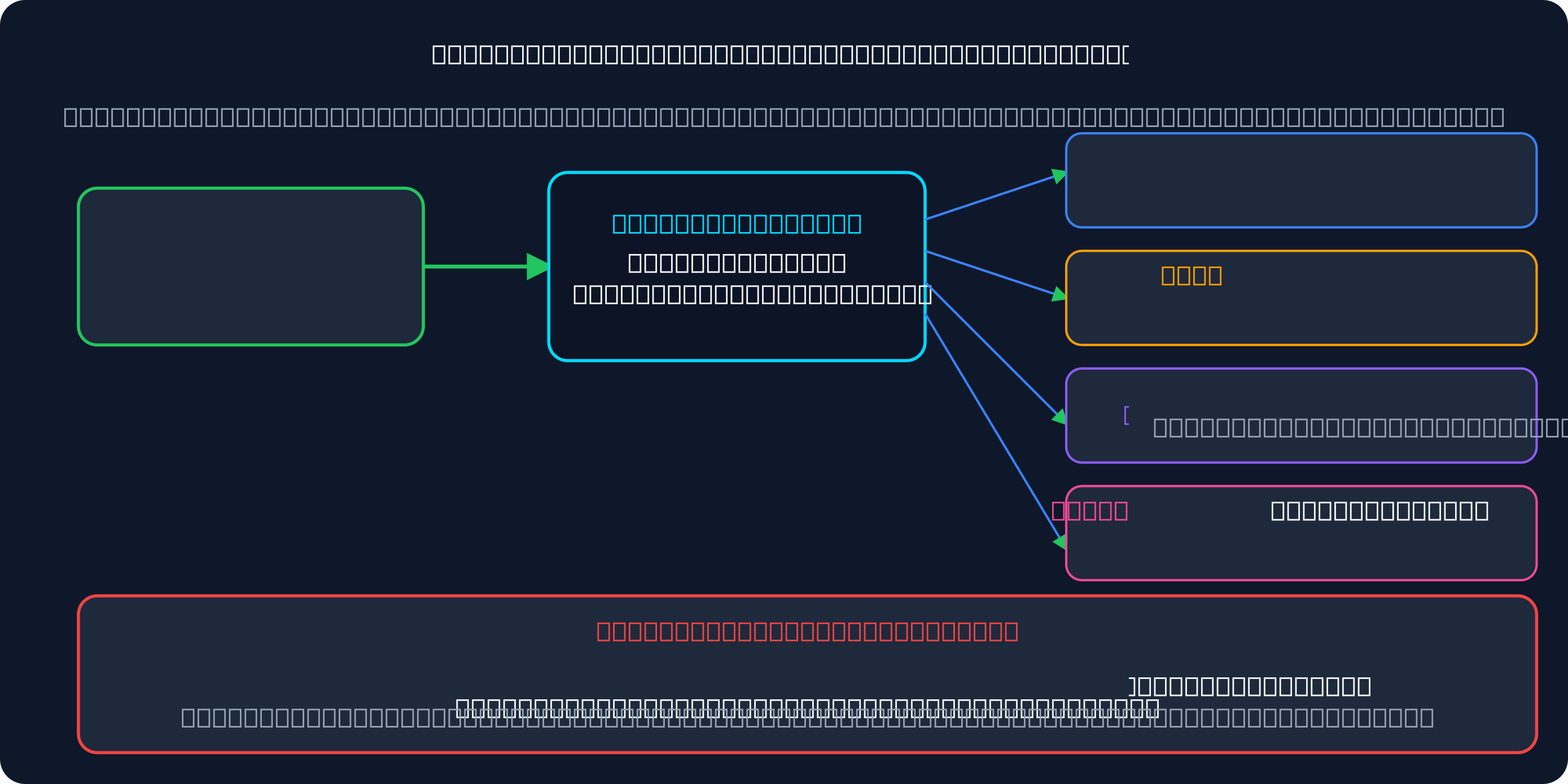
Step 1: Create a Copy Group in Signal Trade App
Log into Signal Trade App and go to Copy Groups. Click "Create New Group." Name it something clear like "Lucid Copy" or "Multi-Firm Copier."
- Copy Group Name: "Multi-Firm Copier" (or firm-specific like "Lucid Copy")
- Leader: Select your primary trading account (the one executing your strategy)
- Status: Active
- Notes: Add the rules you are tracking (optional but helpful)
Do not worry about followers yet. You will add them in the next step.
Step 2: Add Followers from Each Prop Firm
In the copy group, click "Add Followers." You will see a list of connected accounts. Select the followers you want to add.
- Lucid Follower 1: Select your connected Lucid Trading account (Tradovate or Rithmic)
- Lucid Follower 2: If you have multiple Lucid accounts, add each
- Apex Follower: Select your Apex funded account (via NinjaTrader or Rithmic)
- MyFundedFutures Follower: Add your MyFundedFutures account (via Tradovate or Rithmic)
- Take Profit Trader Follower: Add if you have a funded account there
Each follower will show as a separate row in the group. You can now configure risk rules per follower.
Lucid-Specific: Plan-Based Consistency & Daily Limits
Lucid Trading's rules depend on the plan. LucidPro has no consistency rule in the evaluation but a 40% rule on each funded payout cycle; LucidFlex has a 50% rule in the evaluation and none once funded. Both use a $2,000 end-of-day trailing maximum loss on the 50K. Set each Lucid follower's limits inside the copier so it stops before Lucid's rules do.
- Set Max Daily Loss Limit: well inside Lucid's limit for your plan (it is optional on LucidFlex and fixed on LucidPro)
- Track consistency yourself: keep your largest day under the percentage your plan requires
- Set Max Quantity: match your plan's limit (4 minis / 40 micros on a LucidFlex 50K funded account)
- Stop-Loss Enforcement: make sure every entry has a hard stop loss
If a follower reaches the daily loss limit you set, Signal Trade App locks that follower automatically. No accidental over-trading.
Apex-Specific: Trailing Drawdown Per Account
Apex uses a trailing drawdown model — your max loss resets when you hit a new equity high. Signal Trade App offers "Trailing Max Drawdown" tracking.
- Set Max Drawdown: If Apex allows 5% drawdown, set $5,000 on a $100k account
- Enable Trailing High: Signal Trade App remembers your highest equity point and resets when you exceed it
- Set Max Quantity: Apex limits are typically 50–100 contracts per order
- Profit Target Lock: Once you hit Apex profit target (usually $10k), manually lock to avoid over-trading
The trailing model rewards recovery. As long as you hit new equity highs, you can continue trading even if you took an earlier loss.
MyFundedFutures-Specific: EOD Drawdown & Profit Targets
MyFundedFutures checks drawdown at end-of-day (not intra-day). This means you have flexibility to recover within the same day, but any open trades are marked-to-market at 4 PM ET.
- Set Max Daily Loss: MyFundedFutures typically allows $5,000–$10,000 daily loss
- EOD Drawdown Limit: Set your total max drawdown from start of month (e.g., $15,000)
- Profit Target: MyFundedFutures usually requires 10% profit in 30 days
- Auto-Lock on Target: Once you hit $10k profit, Signal Trade App can auto-lock the account
Because MyFundedFutures marks trades at close, you can trade aggressively early in the day and close positions before EOD to avoid large marked losses.
Take Profit Trader-Specific: Daily Loss Limits
Take Profit Trader's Test uses a $2,000 end-of-day trailing drawdown on the 50K, needs at least three trading days, and holds your pass until no single day exceeds 50% of total profit. Once funded in PRO, the drawdown becomes intraday trailing.
- Set Daily Loss Limit: Usually $2,000–$5,000 per account
- Max Quantity: Typically 50–100 contracts
- Watch the switch: EOD trailing drawdown in the Test becomes intraday trailing in PRO
Size Take Profit Trader PRO followers more conservatively than EOD-drawdown accounts, because unrealised highs count against the intraday trailing drawdown.
Risk Management Across Multiple Firms: Keep Accounts Independent
The key to managing multiple funded accounts is independence. Each account should have its own:
- Daily Loss Limit: each firm and plan has its own — set them separately
- Max Quantity Cap: Each follower has its own max contracts per order
- Drawdown Guard: Trailing for Apex, EOD for MyFundedFutures and Lucid, intraday for Take Profit Trader PRO
- Profit Target Lock: Once Apex hits $10k profit, lock that follower only — other accounts keep trading
One blown rule on Apex should not lock your Lucid account. Signal Trade App isolates risk per follower, so you can scale confidently across multiple firms.
Start Multi-Firm Copy Trading Today
Managing three or four funded accounts at once is only possible with a trade copier that respects firm-specific rules. Signal Trade App offers a free 5-day trial to test the full workflow: create a copy group, add followers from multiple firms, and execute one trade that broadcasts to all of them.
After the trial, it is just $30 for the first month, then $15/month for unlimited accounts and unlimited copy groups. Start your free trial and begin multi-firm scaling today.
Frequently Asked Questions
How do I prevent one firm's rules from breaking another firm?
Each follower in Signal Trade App gets independent risk controls. Lucid's consistency rule does not apply to your Apex followers. When one account hits its daily loss limit, only that account locks. Other accounts keep copying.
What if DLL rules conflict between firms?
They do not conflict if you set independent daily loss limits per follower. Each firm and plan sets its own daily loss limit. Set each follower to its firm's limit, and the copier respects both independently.
Can one breach stop all copies?
No. Signal Trade App isolates risk per account. If an Apex follower hits trailing drawdown, only Apex stops copying. Your Lucid, Take Profit Trader, and MyFundedFutures accounts keep trading.
How do I track compliance across firms?
Use Signal Trade App's dashboard. The P&L calendar shows each account's daily P&L, peak equity, and current drawdown. You can see at a glance which accounts are near their limits and which have room to trade.
Start Copy Trading Free
Signal Trade App lets you copy one trade across unlimited prop firm accounts in under 50ms. Sign up free with a 5-day Pro trial (credit card required, no charge during trial).
Related Reading
- Help Center — Setup guides, broker connections, and risk management
- Supported Platforms — Tradovate, NinjaTrader, TradingView, and more
- Blog — More guides on copy trading, prop firms, and futures automation